I will be conducting a workshop on the nuances of making great landscapes photographs on July 2nd and 3rd, Saturday and Sunday, in Bangalore.
Introduction
Darter Photography is bringing you a weekend photography workshop on capturing beautiful landscapes. India is a land of diverse and fascinating landscapes, varying from high mountains, green hills, arid desert lands, sea-scapes, rocky terrains and much more. Very often when we see these breathtaking landscapes, we are awed and humbled. But these amazing spectacles, when photographed, often do not do justice to the beauty of what our eyes have seen and tend to appear repetitive or insipid despite the magnificence of the scenery. This workshop intends to change this and help you make great landscape images next time you travel or even in your neighbourhood park.
Our next photography workshop is happening in Bangalore on June 18th and 19th (Saturday and Sunday), where I will be taking sessions on the nuances of making better photographs. The workshop includes a well thought-out field session with exercises that help you get a practical understanding of the coverage from the session.
Introduction
This workshop introduces you to the technical, artistic and social aspects of photography. You will learn about the concepts of photography, what the different modes of a camera mean, how to compose a photograph so that it catches the eye, how to post-process it to reflect reality or make it artistic, and, in an increasingly connected world, how to share it online. So the next time you click a photograph, you’ll create a memory to cherish.
This article appeared in May issue of Terrascape, a travel magazine for which I am an editorial consultant and also write a column on photography. Read all the earlier earlier travel photography articles on India Travel Blog.
Coming across some works from the masters, you might have wondered how black and white images make an impression stronger than colour photographs. Made well, black and white images can effectively tell a story and evocatively convey moods not seen in colour images. However, not every subject may be suitable for capturing in black and white. Here is a guide to decide when to go for making greyscale images instead of colour and how to make an image that leaves a lasting impression.
Choosing B&W or Colour. Colour images can work very well in most occasions. This is especially true in case of beautiful landscapes, outdoor nature and man-made subjects where colour is an important factor in making an image. A brightly painted truck with plenty of artwork may not be a great subject for creating black and white image. So is golden light of the evening sun on a mountain. Choose to go for black and white when colour in the subject itself is not important, but you are trying to convey a mood, a story or an action related to your subject. In such images, splash of colours can be counterproductive as they can take away the attention of the viewers. A good example is a portrait of an elderly person, where you are trying to highlight the wrinkles on his face but you are not very interested in the colours of his clothes or headgear.
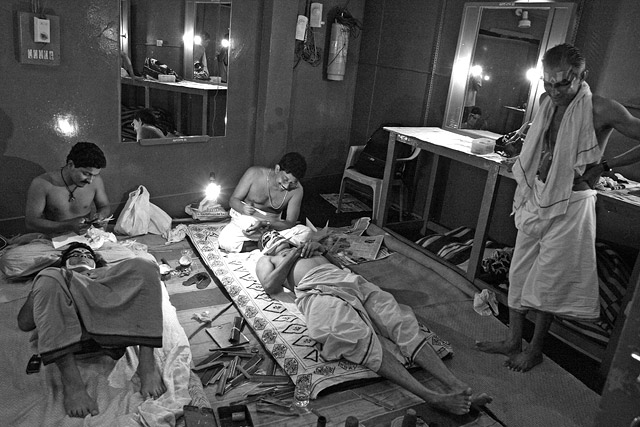
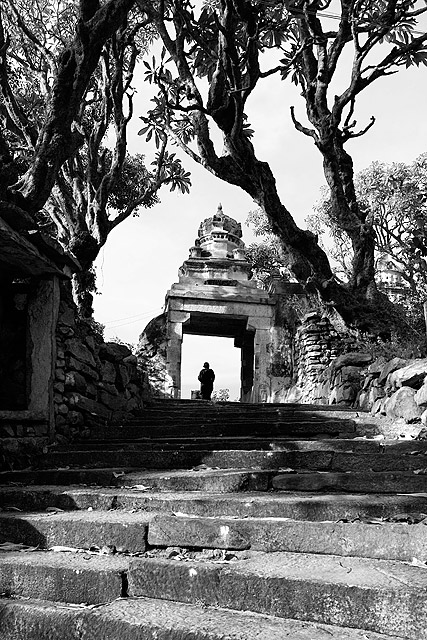
Choice of Subjects. Black and Whites work well in photographing portraits of people, people at work and in documenting an action or a process. It would also work well in relatively darker environments where colours can’t be highlighted, high-contrast situations and in places that have an old-world feeling. A roadside chai shop, construction work or industrial activities, bustling markets in narrow lanes are some good examples. Landscapes, open spaces with boulder-strewn stretches can become good B&W subjects if you are shooting them in the middle of the day when strong sun creates a high contrast.
Processing for B&W. A decade ago, processing black and white images was a dark room activity which required some specialization and understanding the process of working with several chemicals in right proportion. Fortunately, it is much easier today. While converting to greyscale or desaturating the image in your computer is the simplest way to convert an image to B&W, this normally creates an unappealing low-contrast image. Use more advanced processing techniques such as ‘Channel Mixer’ in Adobe Photoshop, where you have a greater control in deciding how the final image should appear. In most cases, it helps to increase the contrast to a very high level before converting the image to B&W.